

Kali
SSH 服务启动 / 安装
Kali 默认不自动启动 SSH,也可能未安装 openssh-server。
# 检查是否安装
dpkg -l | grep openssh-server
# 未安装则安装
sudo apt update && sudo apt install -y openssh-server

# 查看服务状态
sudo systemctl status ssh

# 启动并设为开机自启
sudo systemctl start ssh
sudo systemctl enable ssh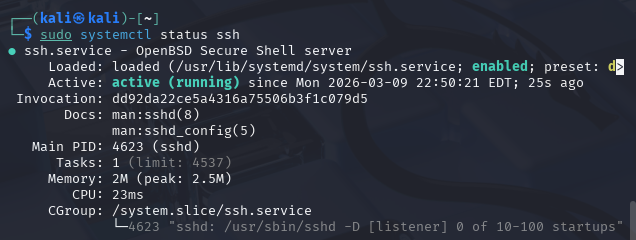
# 验证端口监听(默认22)
ss -tlnp | grep :22
# 应看到 0.0.0.0:22 或 :::22(监听所有地址)
修改配置文件
如果还无法连接,因为kali 虚拟机的默认配置下 ssh 是默认关闭的,其中的两个 SSH 配置文件:ssh_config (/etc/ssh/ssh_config)、sshd_config (/etc/ssh/sshd_config) 都默认拒绝任何 ssh 的服务,其中并没有设置允许用户以密码认证身份的方式登录 (即设置 PasswordAuthentication yes),所以需要修改配置文件
编辑文件 ssh_config
sudo nano /etc/ssh/ssh_config 将 PasswordAuthentication yes 去掉注释,若为 PasswordAuthentication no,则将 no 改为 yes 后再去掉注释
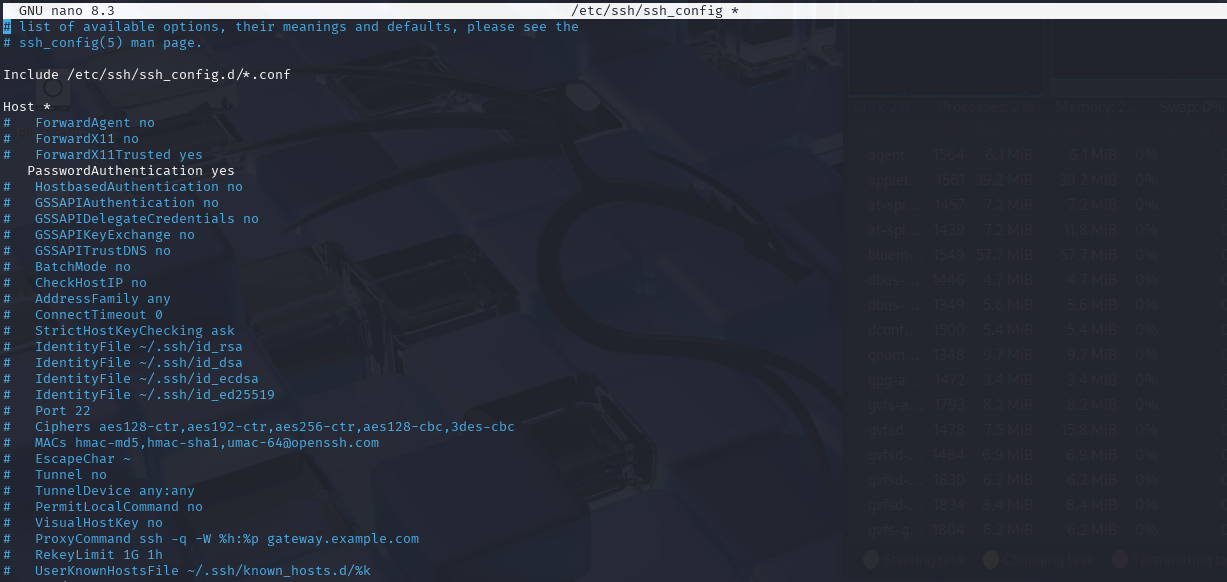
保存退出
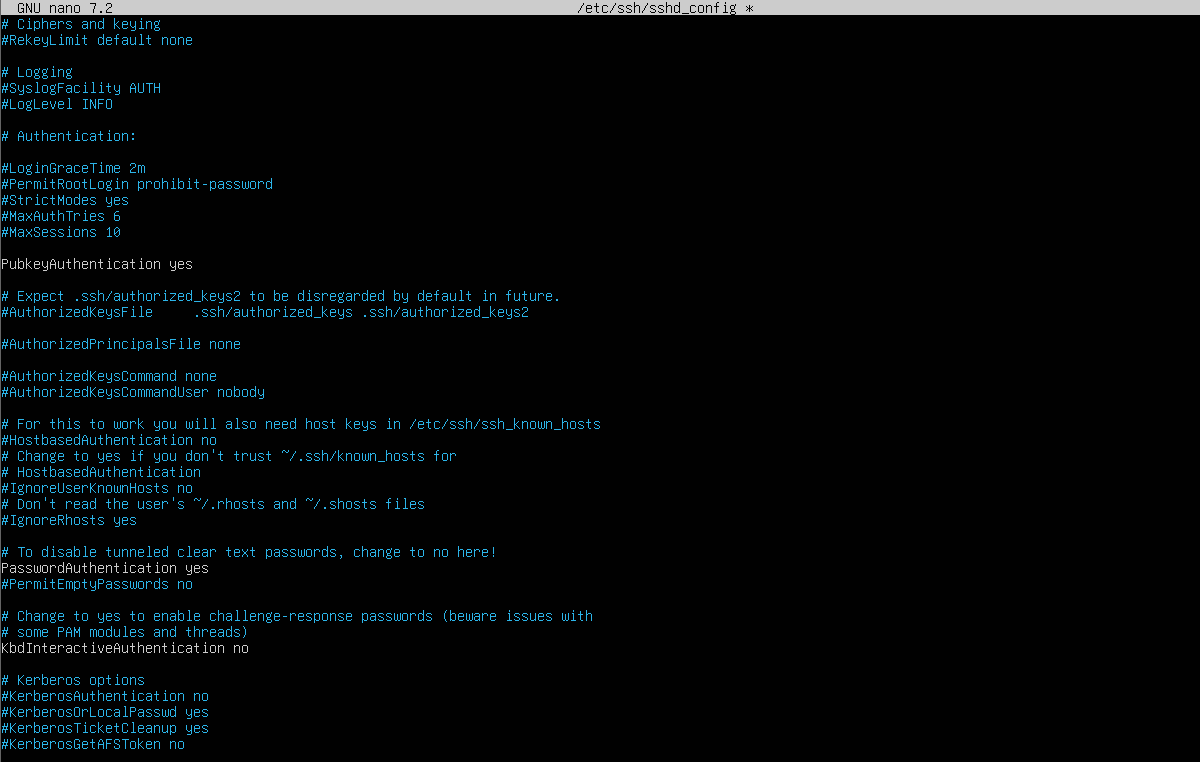
编辑文件 sshd_config
sudo nano /etc/ssh/sshd_config 1. 将 PermitRootLogin prohibit-password 的 prohibit-password 改为 yes,再去掉注释
2. 将 PasswordAuthentication yes 去掉注释
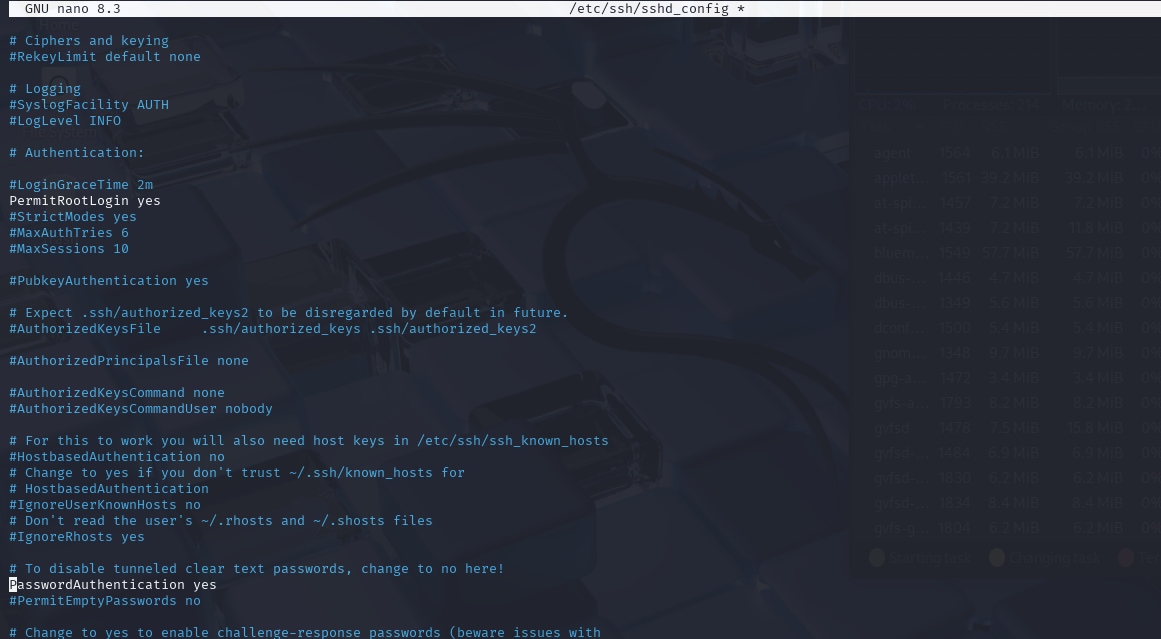
保存退出
n
Ubuntu
一般 ubuntu 系统中的 ssh 远程连接服务是默认取消远程密码认证的,所以需要手动更改其中的配置文件来开启相关的认证服务
检查 ssh.service
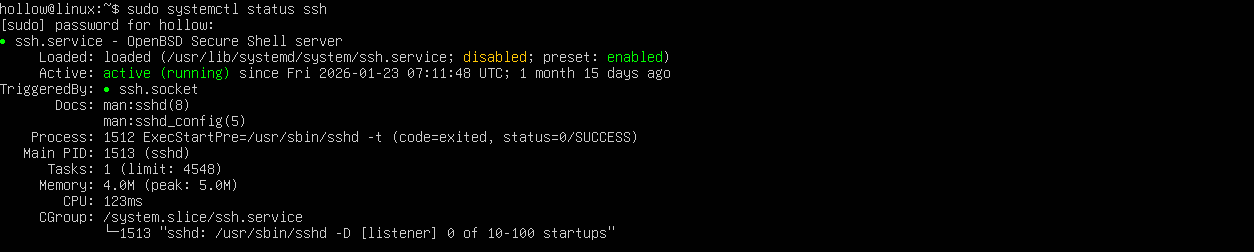
有类似返回结果说明 ssh 存在,不需要安装(一般默认会有安装)
sudo systemctl enable ssh #设置开机自启修改 sshd_config 配置文件
修改 /etc/ssh/sshd_config.d下的配置文件
sudo nano /etc/ssh/sshd_config.d/50-cloud-init.conf
重启 ssh 服务
sudo systemctl restart ssh确认 ip 后用 HexHub 连接即可